

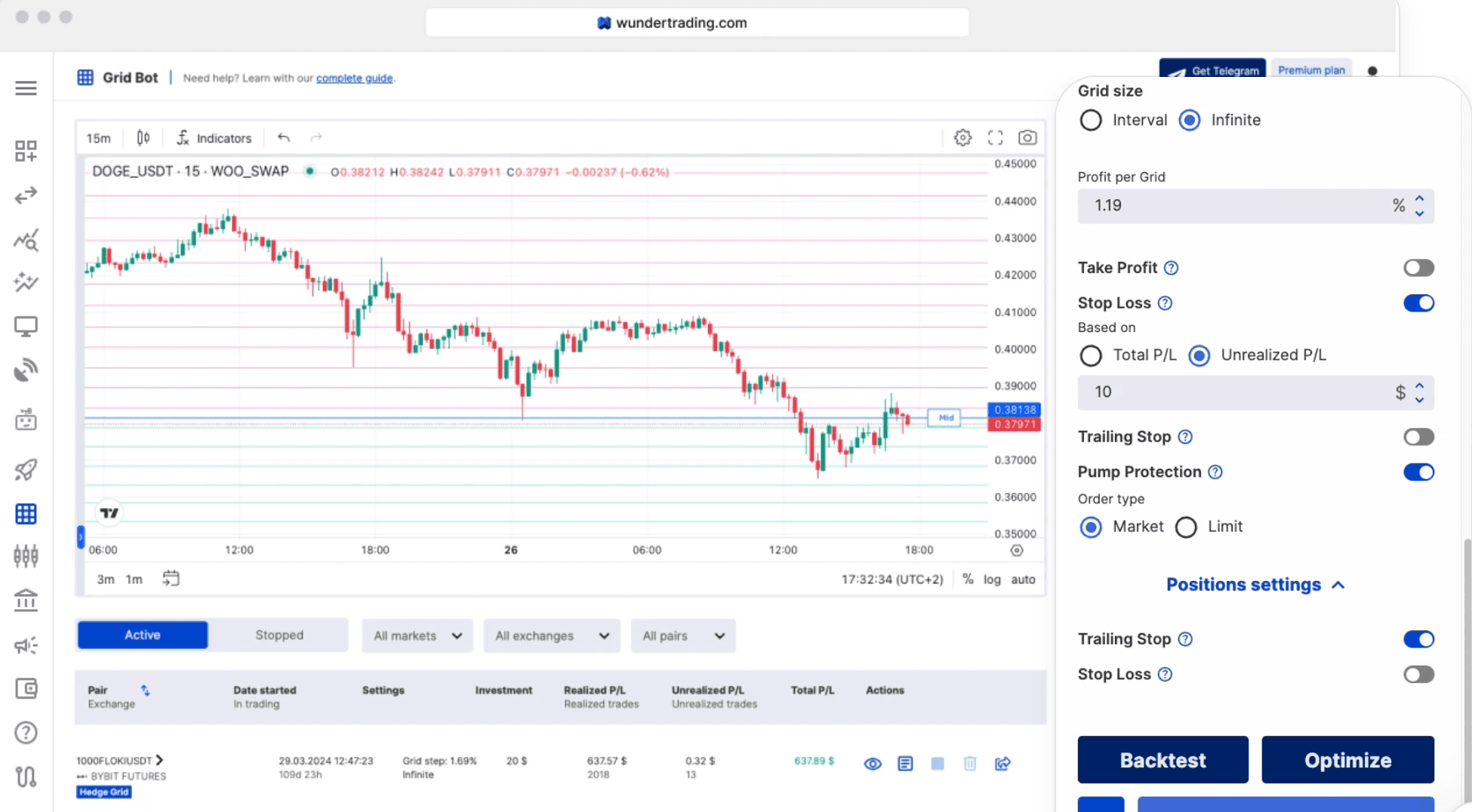
If you’re just getting started in trading, you’ve probably dreamed about a tool that handles the boring stuff so you don’t have to stare at screens all day. That’s exactly why WunderTrading is catching the eye of new traders like you. It’s a platform that connects to different exchanges and helps you run automated strategies or even copy what other traders are doing.
The big promise? Less emotion, more consistency, and the chance to trade across multiple exchanges without building everything yourself. But (and this is important) automation doesn’t magically fix bad habits—it just makes them happen faster. Let’s walk through everything you need to know, step by step, in plain English.
What Is WunderTrading, Really?
Think of WunderTrading as your trading command center. It links up with popular exchanges and lets you set up bots, run signals, copy other traders, or manage orders—all from one place. You don’t need to be a programmer. You just connect your exchange account and choose the features you want.
Why New Traders Love It
Here’s a quick look at what makes it feel so beginner-friendly:
Feature | Why Beginners Love It |
Automation | You set rules once and it runs without you |
Copy Trading | Follow experienced traders instead of guessing |
Multi-Exchange Support | Manage everything in one dashboard |
Simple Bots | Feels like having a tireless trading buddy |
It sounds amazing, right? Just remember: these tools only work as well as the rules you give them.
How Simple Bots Usually Work
A basic bot is actually pretty straightforward. Here’s the usual flow:
Connect your exchange using API keys
Pick or create a set of trading rules
Decide how much money to use per trade
Turn the bot on
Check in once in a while and tweak if needed
The golden rule? The bot doesn’t remove risk—it just follows your instructions perfectly. Bad settings = bad automated losses. Always test small first.
How Copy Trading Works in Real Life
Copy trading lets you automatically mirror part of someone else’s strategy. It feels like having a pro trader on your team. But don’t just chase the shiny performance numbers. Ask yourself these questions first:
Question You Should Ask | Why It Matters |
What’s the real risk level? | Big returns often come with big danger |
How long is their track record? | A few good weeks can look amazing but be risky |
Do they use leverage? | Leverage can wipe out accounts fast |
Are positions super concentrated? | A few big bets can make results look better than they are |
Focus on the “how” behind the profits, not just the profits themselves.
The #1 Beginner Mistake (Don’t Do This!)
The single biggest oops new traders make? Giving the platform way too much access to their exchange account.
Safer rule for you: Only turn on the permissions you actually need.
Trading permissions? Only if the bot needs them.
Withdrawal permissions? Turn them OFF.
Always double-check the exchange’s API settings before you click “connect.”
An automation tool is only as safe as the keys you hand over.
Your Beginner Safety Checklist
Before you turn anything on, run through this quick list:
Checklist Item | Why It Matters |
Use a separate sub-account if possible | Keeps your main money safe |
Turn off withdrawals on API keys | Stops big problems if something goes wrong |
Start with tiny position sizes | Test everything without risking real money |
Read and understand the bot rules | No more “set and forget” blind spots |
Watch for extra fees and slippage | Bots can trade a lot more than you expect |
Do these things and you’ll avoid most of the painful beginner traps.
Pros and Cons of WunderTrading
Pros
Makes automation easy across different exchanges
Helps you follow rules instead of trading on emotion
Gives new traders a simple way to test bots and copy trading
Cons
Bad settings can automate losing trades on repeat
Copy trading sometimes hides real risk behind pretty charts
API permissions can create serious security headaches if you’re not careful
Fees You Should Know About
Fee Type | What to Check as a Beginner |
Platform subscription | Free plan vs paid features |
Copy trading fees | Extra charges from the strategy provider |
Exchange trading fees | These still apply on every trade |
Bot activity costs | More trades = more fees (watch slippage too) |
The real hidden cost? A bot that trades badly at full size.
Tool Rating: 4 out of 5
Giving WunderTrading a solid 4/5 for beginners. It’s genuinely useful when you use small sizes, tight permissions, and actually understand what the bot is doing. It’s not perfect (no tool is), but it’s one of the easier ways to dip your toes into automation without needing to code.
Final Thoughts
WunderTrading can be a real game-changer if you treat it like a helpful assistant instead of a magic money machine. Start tiny, keep permissions minimal, and never automate something you can’t explain in your own words.
If you can’t explain the strategy to a friend over coffee, don’t turn the bot on yet. Automation scales good habits and bad ones—make sure you’re building the good ones first.
You’ve got this! Trade smart, stay safe, and keep learning.
Disclaimer: This content is for educational and informational purposes only and is not financial advice. Nothing here is a recommendation to buy or sell any asset or use any platform. Do your own research and manage your risk.