
What Is De.Fi?
De.Fi, pronounced dee dot fi, is a Web3 security and portfolio platform. It should not be confused with the general term DeFi, which describes decentralised finance as a whole. The project began as DeFiYield App, a yield tracking dashboard, and later repositioned around security tooling.
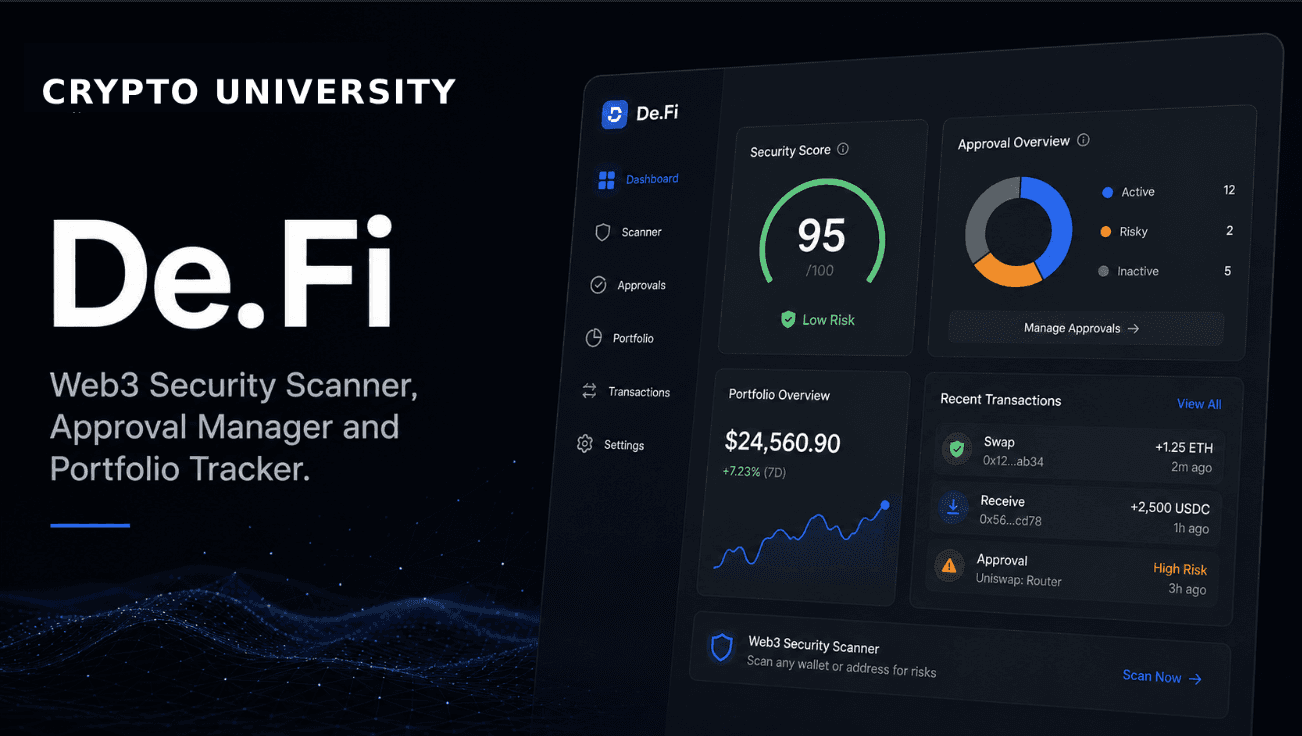
The company markets its product set as a Web3 antivirus. That phrase is marketing language rather than a technical description. In practice, the platform bundles four things that most crypto users otherwise have to assemble from separate websites: an automated smart contract scanner, a token approval manager, a database of past hacks and scams, and a multi chain portfolio dashboard.
De.Fi is non custodial. You connect a wallet so the platform can read balances and so you can sign revocation transactions, but it does not hold your keys or take custody of your assets.
Supported Networks
Coverage differs by tool and changes over time. The figures below are reported by the company and should be treated as approximate.
Shield approval scanning: roughly 40 to 45 networks, according to company updates published in late 2025.
Public API: roughly 41 blockchains and more than 350 protocols.
Scanner: major EVM networks including Ethereum, BNB Chain, Polygon, Arbitrum, Optimism, Base, Avalanche and Fantom.
Before assuming a chain is covered, open the network selector inside the specific tool you plan to use. Support for newer and non EVM networks tends to lag behind headline numbers.
Main Features
Tool | What it does | Typical user |
|---|---|---|
Scanner | Automated contract analysis returning a security score, risky permission flags, honeypot indicators, liquidity checks and governance findings. | Anyone researching a token before buying |
Shield | Scans a wallet for active token approvals, assigns a wallet health score, and lets you revoke permissions in one click. | Any active wallet user |
REKT Database | Catalogue of historic hacks, exploits and scams with estimated loss figures and summaries. | Researchers and learners |
Dashboard | Multi chain portfolio tracking covering wallet balances, deposits, rewards and lending positions. | Users holding assets across several chains |
Explore Yields | Sortable view of pools, APRs and historical performance across supported protocols. | Yield focused users |
API | Programmatic access to scanning, wallet balances and the hack databases. | Developers and analysts |
De.Fi Scanner
You paste a contract address and the Scanner returns an automated report. It looks at permissions held by the contract owner, common honeypot patterns, liquidity conditions, holder distribution and governance structure. The company states it has analysed more than seven million contracts and that governance design and unchecked admin permissions, rather than code bugs alone, account for most of the serious risks it surfaces.
A paid Scanner PRO tier adds an AI Score that scores five dimensions: reputation, utility, sybil detection, organic behaviour and swapping analytics. The intent is to catch coordinated or manufactured activity that a static code review would miss.
De.Fi Shield
Every time you use a decentralised application, you usually grant its contract permission to move specific tokens on your behalf. Those approvals persist after you stop using the application, and older approvals were often unlimited in amount. Forgotten permissions are a recurring cause of drained wallets, because an exploit in a contract you approved years ago can still reach your funds today.
Shield consolidates active approvals across supported chains into one dashboard, scores overall wallet exposure, and lets you revoke individual permissions. It competes directly with single purpose tools such as Revoke.cash, with the trade off being breadth of features against simplicity.
REKT Database and Integrations
The REKT Database is a searchable record of exploits and scams with estimated losses. It is useful for education because it shows recurring attack patterns rather than isolated headlines. Loss figures are estimates compiled from public reporting and often change as investigations progress.
De.Fi security data also appears inside third party products. The company reports long running integrations with CoinGecko and GeckoTerminal, plus contract analysis surfaced inside QuickSwap and SushiSwap interfaces. Many people therefore use De.Fi scoring without visiting the site directly.
Set Up Guide: Reviewing and Revoking Approvals
Type the official address De.Fi, into your browser rather than following a search advertisement or a link from social media. Phishing clones of approval tools are common. (Always download wallet software from the official domain. Verify the URL character by character before installing anything or entering a recovery phrase.)
Open the Shield section of the site.
Connect your wallet, or paste your public address to view findings in read only mode first. Read only mode requires no signature and is the safer way to look around.
Select the networks you want to scan. Approvals are chain specific, so an Ethereum scan tells you nothing about your Arbitrum exposure.
Review the list of active approvals. Prioritise unlimited allowances, approvals to protocols you no longer use, and anything flagged as high risk.
Revoke the permissions you no longer need. Each revocation is an on chain transaction and costs network gas, so batch them where possible and act during quieter periods on expensive networks.
Set Up Guide: Scanning a Token Before You Interact
Copy the contract address from a source you trust, such as the project documentation or a major data aggregator, not from a chat message.
Open the Scanner and paste the address, then select the correct network.
Read the findings rather than the headline score. Concentrate on owner privileges, the ability to mint or pause transfers, blacklist functions and liquidity lock status.
Cross check anything unclear against a block explorer and the project documentation.
Limits You Should Understand
Automated scanning is not a manual audit. It detects known patterns and cannot judge economic design or intent.
A high score is not an endorsement or a guarantee of safety. Contracts can be upgraded, and teams can act against holders without breaking any code rule.
Scoring systems are proprietary. Two security platforms can rate the same contract differently, so use more than one source for anything meaningful.
Portfolio and yield data depend on third party feeds and can be delayed or incomplete.
Who It Suits
Beginners get the most value from Shield, which turns an invisible risk into a simple checklist. Intermediate users benefit from the Scanner and REKT Database as research habits. Anyone who only needs approval management may prefer a lighter single purpose tool, since the wider platform includes portfolio, yield and social features that some users will never open.
Rating
4.0 / 5
Strong, genuinely useful free security tooling with unusually broad chain coverage. Points deducted for self reported and inconsistent coverage numbers, pricing that is not clearly published for premium tiers, and a feature set that has expanded well beyond its security core.
Pros and Cons
Pros | Cons |
|---|---|
Core security tools are free and non custodial, so you can audit a wallet without creating an account. | Premium and audit pricing is not consistently published, so costs require a direct enquiry. |
Very broad multi chain approval scanning in a single dashboard, which saves manual explorer work. | Reported network and protocol counts vary between company sources, so coverage claims need checking. |
Scanner and REKT Database double as learning resources, not just alerts. | Feature sprawl into yield, market and social tools adds clutter for users who only want security checks. |
Fees
Scanner, Shield, REKT Database and the portfolio dashboard: free to use at the standard tier.
Network gas: revoking an approval is an on chain transaction, so you pay the network fee even though the tool itself is free.
Scanner PRO: paid tier for advanced analysis including the AI Score. Pricing is not clearly published and should be checked on the site.
Manual audits: quoted individually through the audit request page.
API: a free tier has been offered to early adopters, with additional credits available. Terms change, so confirm current limits in the API documentation.
Fee details are widely reported rather than formally published in one place. Verify current pricing before committing to a paid tier.
FAQ
Is De.Fi safe to connect a wallet to?
The platform is non custodial and does not take control of your assets. The main risk is not the tool itself but phishing clones that imitate it. Type the address manually, and where possible start in read only mode by pasting your public address instead of connecting.
What is a token approval, and why does it matter?
An approval is permission you grant a smart contract to move a specific token from your wallet. It is what lets a decentralised exchange complete a swap. The permission stays active until revoked, so an old approval to a contract that is later exploited can still put current holdings at risk.
Does revoking an approval cost money?
Yes. Revocation is an on chain transaction, so you pay network gas. The tool does not charge for it. Costs vary widely by network.
Is a good Scanner score a guarantee that a token is safe?
No. It indicates that known risk patterns were not detected in the code and permissions analysed. It cannot assess team intent, future upgrades or economic design. Treat it as one input among several.
How does De.Fi compare to Revoke.cash?
Revoke.cash is a focused approval tool. De.Fi Shield covers approvals as part of a wider platform that also includes contract scanning, portfolio tracking and yield data. Choose based on whether you want a single utility or a suite.
Is De.Fi a wallet?
No. It is a dashboard and security layer that you connect an existing wallet to. Your keys stay in your own wallet software.
Related Terms
Token approval, honeypot, rug pull, smart contract audit, phishing signature, EVM,
Call To Action
Official site: https://de.fi/
Approval manager: https://de.fi/shield
Contract scanner: https://de.fi/scanner
Hack and scam database: https://de.fi/rekt-database
Disclaimer: This content is for educational and informational purposes only and is not financial advice. Nothing here is a recommendation to buy or sell any asset or use any platform. Do your own research and manage your risk.
Rugcheck Explained: How to Spot Scam Tokens on Solana in 2 Minutes
Revoke.cash: How to Check and Revoke Token Approvals to Protect Your Wallet
Chainlist: How to Find Chain IDs and Add EVM Networks to Your Wallet
Cryptocurrency Payment Gateways for Beginners: BTCPay Server Explained
DEX Screener Explained: How to Track DEX Pairs, Liquidity & Prices
Birdeye Explained: A Practical Guide to Multichain Token and Wallet Analytics