
What Is a Chainlist?
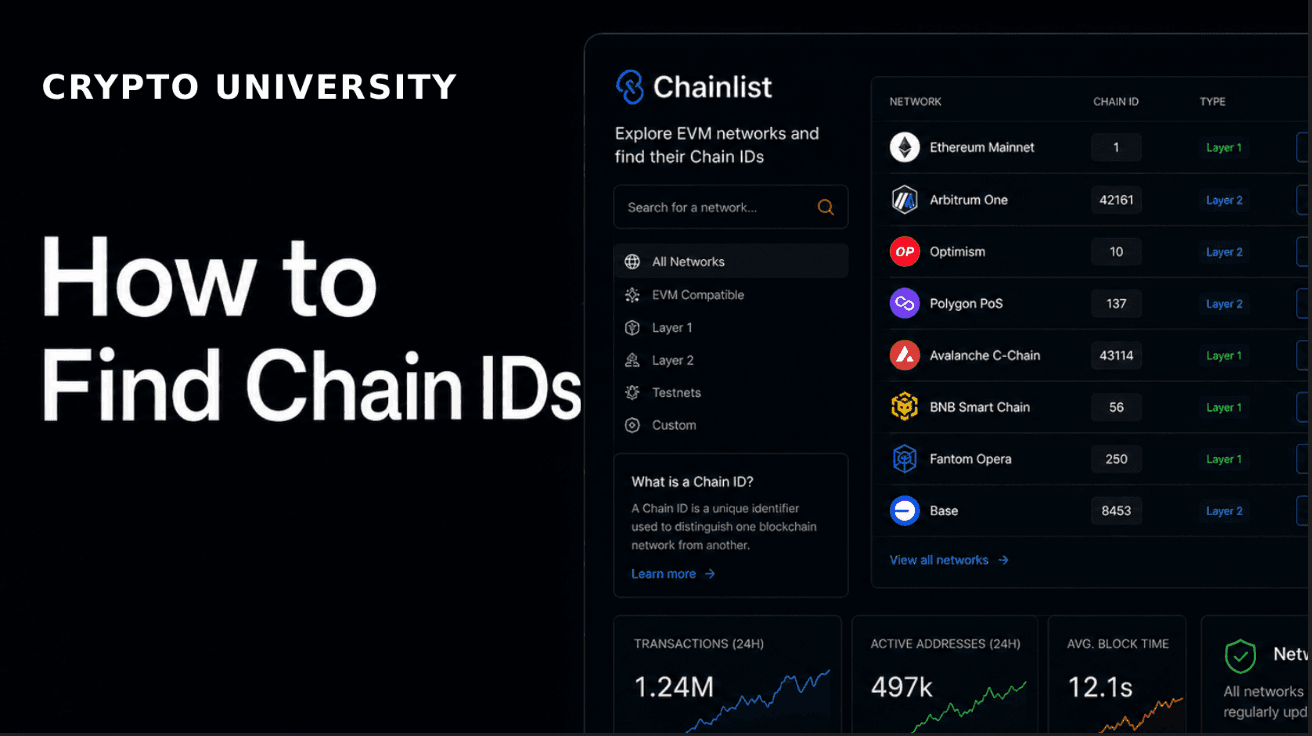
Chainlist is a free web directory that helps people find the correct settings for EVM-compatible blockchains and add those networks to wallets like MetaMask. EVM stands for Ethereum Virtual Machine, the software environment that Ethereum and many other chains use to run smart contracts. Networks that are EVM-compatible share the same basic wallet format, which is why one wallet can connect to many of them.
When you want to use a network that is not already built into your wallet, you usually have to enter several details by hand: the network name, the RPC URL, the chain ID, the currency symbol, and the block explorer URL. Getting any of these wrong can cause failed connections or confusing errors. Chainlist solves this by listing these details for hundreds of networks in one searchable place and letting you add them to a wallet in a few clicks.
It helps to be clear about what Chainlist is not. It is not a wallet, a node provider, or a block explorer. It is a lookup and setup tool that sits at the onboarding step, helping you connect the right wallet to the right chain.
Supported Networks
Chainlist focuses on EVM-compatible networks and lists a large number of them, including both mainnets and testnets. Commonly used networks available through Chainlist include:
Ethereum Mainnet (chain ID 1)
Base (chain ID 8453)
BNB Smart Chain
Arbitrum One
Polygon
OP Mainnet (Optimism)
Avalanche C-Chain
You can also switch on an "Include Testnets" option to show test networks, which are used by developers and by users who want to try a chain without spending real funds. Because new chains launch regularly, the list changes over time, so it is best to search Chainlist directly for the network you need.
Main Features
Network search: type a chain name to find its details quickly.
Connect Wallet: add a selected network to a compatible wallet automatically, without typing settings by hand.
Chain ID and RPC lookup: view the chain ID, one or more RPC URLs, the native currency symbol, and the block explorer link for each network.
Testnet toggle: show or hide test networks depending on your needs.
Add Your Network / Add Your RPC: projects and community members can submit network details and RPC endpoints.
Open source: the project's code is public, so anyone can review how it works.
API access: developers can pull network data programmatically for their own tools.
Set Up Guide: Adding a Network With Chainlist
Here is a general step-by-step guide. Exact wording can vary slightly by wallet and browser.
Open chainlist.org in a browser that has your wallet extension installed, such as MetaMask.
Click "Connect Wallet" and approve the connection in your wallet.
Use the search box to find the network you want. Turn on "Include Testnets" if you are looking for a test network.
Click "Add to wallet" on the network card (sometimes shown as "Connect Wallet").
Your wallet opens a pop-up with the network details. Review them carefully.
Confirm to add the network, then switch to it inside your wallet.
Before you confirm, check that the chain ID matches the official chain ID for that network. This is the single most useful safety check, because a wrong or malicious network entry can point your wallet at the wrong place.
A Note on Safety
Chainlist is a convenience tool, and the same care you use elsewhere in crypto applies here. RPC URLs are provided by third parties, and a poor or malicious RPC endpoint could log your activity or return incorrect data. To stay safer, prefer RPC URLs and chain IDs from official project documentation, verify the chain ID before confirming, and be cautious with community-submitted entries. Adding a network does not move any funds by itself, but interacting with the wrong network can still lead to mistakes. This article is educational and is not financial or security advice.
Rating
4.5 / 5 Excellent for its narrow job
Chainlist does one thing well: it removes friction from adding EVM networks. It loses half a point because it depends on third-party RPC entries and covers EVM chains only, so users still need to verify details themselves.
Frequently Asked Questions
What is Chainlist used for?
It is a directory that helps users find EVM network details such as chain IDs and RPC URLs, and add them to wallets like MetaMask. It is most commonly used to configure a wallet for a new network quickly.
Is Chainlist free?
Yes. Chainlist does not charge to look up networks or add them to your wallet. Network gas fees for on-chain transactions are separate and unrelated to Chainlist.
Is Chainlist safe to use?
The tool itself is a directory, but RPC URLs come from third parties. Verify the chain ID against official sources before confirming, and prefer RPC endpoints from trusted documentation.
Does Chainlist work with MetaMask?
Yes. Chainlist is built to connect to MetaMask and other EVM-compatible wallets, filling in network details for you so you do not have to type them manually.
What is a chain ID?
A chain ID is a unique number that identifies a specific EVM network. Wallets use it to know which chain they are connected to and to help prevent a transaction on one chain from being replayed on another.
Related Terms
Node, Block explorer, Mainnet, Smart contract, Gas fee, Wallet.
Disclaimer: This content is for educational and informational purposes only and is not financial advice. Nothing here is a recommendation to buy or sell any asset or use any platform. Do your own research and manage your risk.