
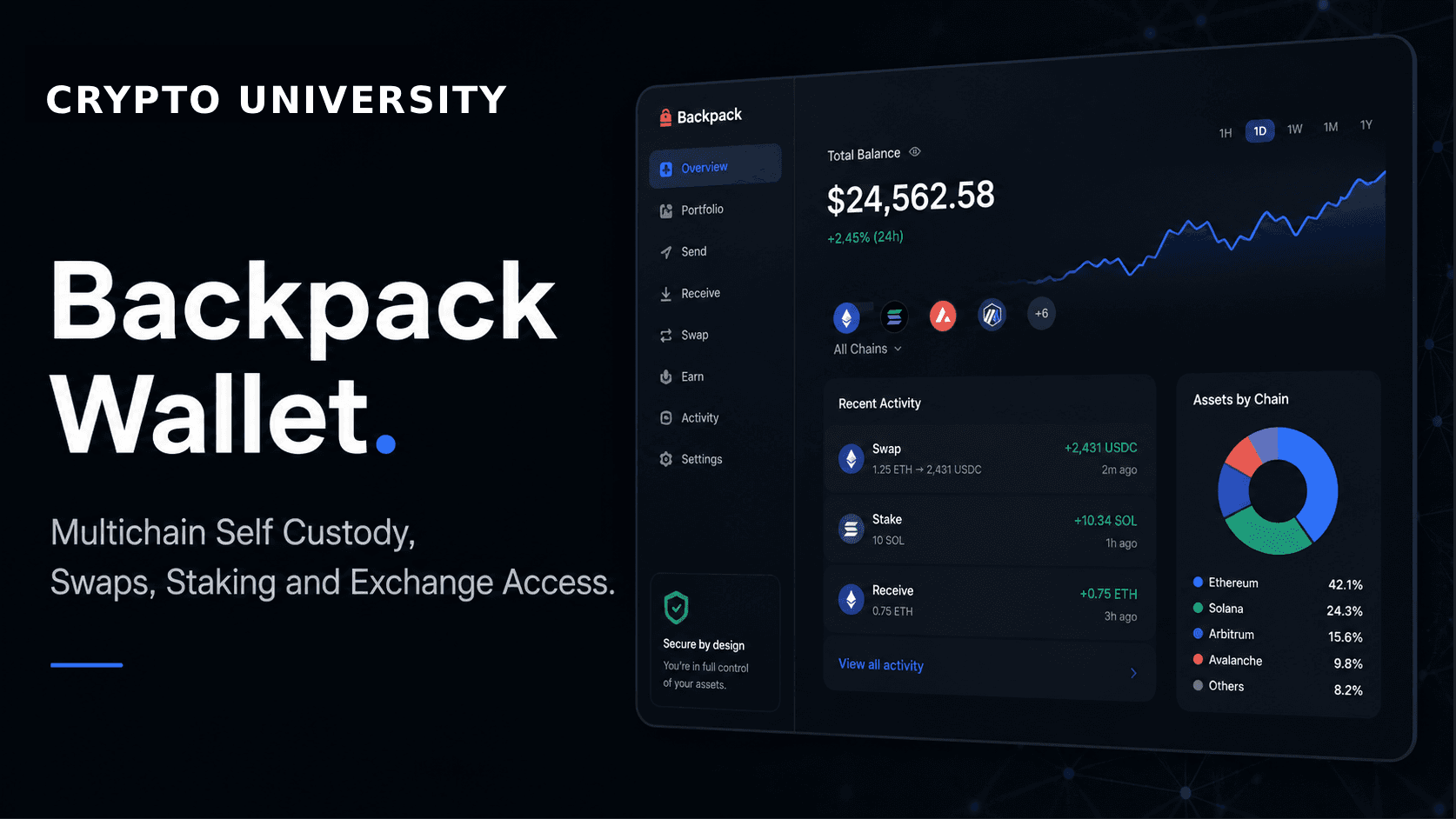
Backpack is a self custody crypto wallet that works across several blockchains and connects directly to Backpack Exchange, a centralised trading platform run by the same company. It is available as a browser extension and as a mobile app for iOS and Android.
The project was founded in 2022 by Armani Ferrante and Tristan Yver and started life as a Solana focused wallet, best known in that ecosystem for the Mad Lads NFT collection and for early work on executable NFTs. It has since expanded into a broader multichain wallet with an attached exchange business. This guide explains what the wallet supports, how it works, what it costs, and how to set it up safely.
Self custody in plain terms
Self custody means the private keys that control your funds are generated and stored on your own device, not by a company. Backpack gives you a secret recovery phrase during setup. Anyone who has that phrase controls the wallet, and no support team can restore it for you if it is lost. The exchange side of Backpack is different: assets held there are custodial and sit with the company, under the rules of whichever entity serves your region.
Supported networks
Backpack covers both EVM and non EVM chains from a single recovery phrase. As of mid 2026 the company and recent third party coverage describe support for roughly fourteen to fifteen networks, commonly listed as:
Solana
Ethereum
Base, Arbitrum, Optimism and Polygon
BNB Chain
Sui and Aptos
Monad, Sei, Berachain, HyperEVM and Plasma
Network support changes often, and Backpack has added chains several times over the past two years. Treat any published list, including this one, as a snapshot. The authoritative source is the network selector inside the app.
Main features
Multichain accounts. One wallet, one recovery phrase, multiple chains. Accounts for each supported network are derived from the same seed, so you are not juggling separate apps for Solana and EVM chains.
In wallet swap and bridge. Token swaps and cross chain bridging happen inside the app. Backpack routes orders through external liquidity sources rather than running its own bridge, and states that it does not add a wallet level fee on top.
Staking. SOL staking is available directly from the wallet, which delegates to a validator. Staking has lock up and slashing considerations that vary by network, so read the terms before committing funds.
NFT tools. The wallet displays NFTs, supports Solana standards including compressed NFTs, and offers collection locking, a feature that blocks transfers of a chosen collection until you unlock it. This limits the damage from a malicious signature.
Hardware wallet and multisig. Ledger, Trezor and Keystone devices can be connected so keys stay offline. Backpack also supports 2 of 3 multisig on Solana, which is unusual among consumer wallets.
dApp connections. A built in browser and connection flow lets you use decentralised applications such as decentralised exchanges and NFT marketplaces.
Fiat on ramp. Card purchases are handled through the third party provider MoonPay, subject to its own fees and regional availability.
Exchange access. The same app can open Backpack Exchange for spot trading, perpetual futures, yield on idle balances and, in some regions, tokenised United States stocks issued through Backpack Securities. These services are custodial and require identity verification. Availability depends on your country.
Set up guide: browser extension
Go to the official site at backpack.app and install the extension from the linked Chrome Web Store page. Do not install from search ads or links sent in chat groups.
Choose Create New Wallet, then set a password. The password unlocks the extension on that device only. It is not a backup.
Write the secret recovery phrase on paper or steel and store it offline. Do not photograph it, sync it to cloud notes, or paste it into any website.
Confirm the phrase when prompted, then open the network selector and add the chains you plan to use.
Send a small test amount first, confirm it arrives, then move the rest.
Set up guide: mobile app
Download Backpack from the App Store or Google Play, checking the developer name on the listing.
Create a new wallet or import an existing one using a recovery phrase or private key.
Record the recovery phrase offline and enable the device lock and biometric unlock.
Open the main menu and add networks from the Networks section.
Use the Swap screen for same chain swaps and the Bridge tab for cross chain transfers.
Set up guide: connecting a hardware wallet
Update the firmware on your Ledger, Trezor or Keystone device and install the relevant chain app.
In Backpack, choose to import a wallet and select the hardware option.
Connect by cable or the supported wireless method and approve the pairing on the device.
Select the accounts to import, then verify every transaction on the device screen, checking the destination address and amount rather than trusting the software display.
Regulation and regional availability
The wallet itself is a self custody tool and generally does not require an account. The exchange is regulated and its availability is not uniform. Backpack has operated under a licence from Dubai’s Virtual Assets Regulatory Authority, and gained a MiFID II licence in Europe through its purchase of the former FTX Europe business. In May 2026 the Latvian central bank granted the group’s European entity a MiCA licence and a payment institution licence. Independent reviews have reported that derivatives products are not offered to users in several jurisdictions, including the United States. Check which entity serves your country and which products it is permitted to offer before depositing.
Risks to understand
Losing the recovery phrase means losing the wallet permanently. There is no reset.
Malicious signature requests are the most common way self custody users lose funds. Read what you are approving and revoke old approvals periodically.
Bridging carries smart contract and liquidity risk that belongs to the underlying protocol, not the wallet interface.
Funds moved to the exchange are no longer self custodied and are exposed to counterparty risk.
5. FAQ
Is Backpack a self custody wallet?
Yes. The wallet stores keys on your device and gives you a recovery phrase. The connected exchange is custodial and separate.
Which blockchains does Backpack support?
Solana, Ethereum and major EVM layer 2 networks, plus non EVM chains such as Sui and Aptos. The in app network list is the current source of truth.
Does Backpack charge for swaps?
Backpack states that it does not charge a wallet level fee on swaps or bridges. Blockchain gas fees and liquidity provider costs still apply.
Can I use a hardware wallet with Backpack?
Yes. Ledger, Trezor and Keystone are supported, which keeps private keys off your computer or phone.
Do I need an exchange account to use the wallet?
No. The wallet works on its own. An exchange account requires identity verification and is subject to regional restrictions.
Is Backpack available in my country?
The wallet is broadly available. Exchange products, especially perpetual futures and tokenised stocks, are restricted in several jurisdictions.
6. Tool Rating
4.2 / 5
A capable multichain wallet with unusually strong security options for a consumer product, held back by an exchange layer whose availability varies by region and by a feature set that can feel dense for a first time user.
7. Pros and Cons
Pros | Cons |
|---|---|
Wide chain coverage, EVM and non EVM, from one recovery phrase | The wallet and exchange sit in one app, which can blur the line between self custody and custodial balances |
Strong security options: hardware wallets, multisig and NFT collection locking | Exchange products are not available in every country, including several major markets |
No stated wallet level fee on in app swaps and bridges | The trading focused interface is more complex than a simple beginner wallet |
8. Fees
Item | Typical cost | Notes |
|---|---|---|
Wallet download and use | Free | Self custody wallet, no account required |
Network gas fees | Variable | Paid to the blockchain, unavoidable in any wallet |
In wallet swaps and bridges | No stated wallet fee | Backpack says it adds no fee or markup. Underlying routing costs still apply. Confirm the quote in app |
Card purchases via MoonPay | Third party fee | Set by MoonPay, varies by region and payment method |
Exchange spot trading | About 0.08% maker and 0.10% taker at base tier | Widely reported base rates. Tiers fall with volume. USDT to USDC pairs are listed at 0% |
Exchange perpetual futures | About 0.02% maker and 0.05% taker at base tier | Plus funding payments settled between long and short positions |
Crypto deposits | Generally free | Withdrawals carry a network dependent fee |
Fee figures are widely reported estimates for standard users and are subject to change. Always confirm current rates on Backpack’s own fee page before trading.
9. Related Terms
Self custody, private key, seed phrase, hardware wallet, multisig, staking, perpetual futures, maker and taker fees, proof of reserves.
Official wallet site: https://backpack.app
Official exchange site: https://backpack.exchange
Support documentation: https://support.backpack.exchange
Disclaimer: This content is for educational and informational purposes only and is not financial advice. Nothing here is a recommendation to buy or sell any asset or use any platform. Do your own research and manage your risk.
Rugcheck Explained: How to Spot Scam Tokens on Solana in 2 Minutes
Revoke.cash: How to Check and Revoke Token Approvals to Protect Your Wallet
Chainlist: How to Find Chain IDs and Add EVM Networks to Your Wallet
Cryptocurrency Payment Gateways for Beginners: BTCPay Server Explained
Coinbase Wallet (Now Base App): Features, Networks, Fees and Setup Guide
De.Fi Review 2026: Web3 Security Scanner, Shield and Portfolio Tracker