If you're new to crypto, hearing "just get a wallet" can feel confusing. There are so many options—hardware ones, apps, seed phrases, security stuff—and people debate them a lot. But don't worry, the main idea is actually pretty simple.
A crypto wallet isn't like a bank account that holds your coins. Your actual crypto lives on the blockchain (a big public ledger). The wallet just helps you control it by managing your private keys—the secret codes that prove the money is yours and let you send it.
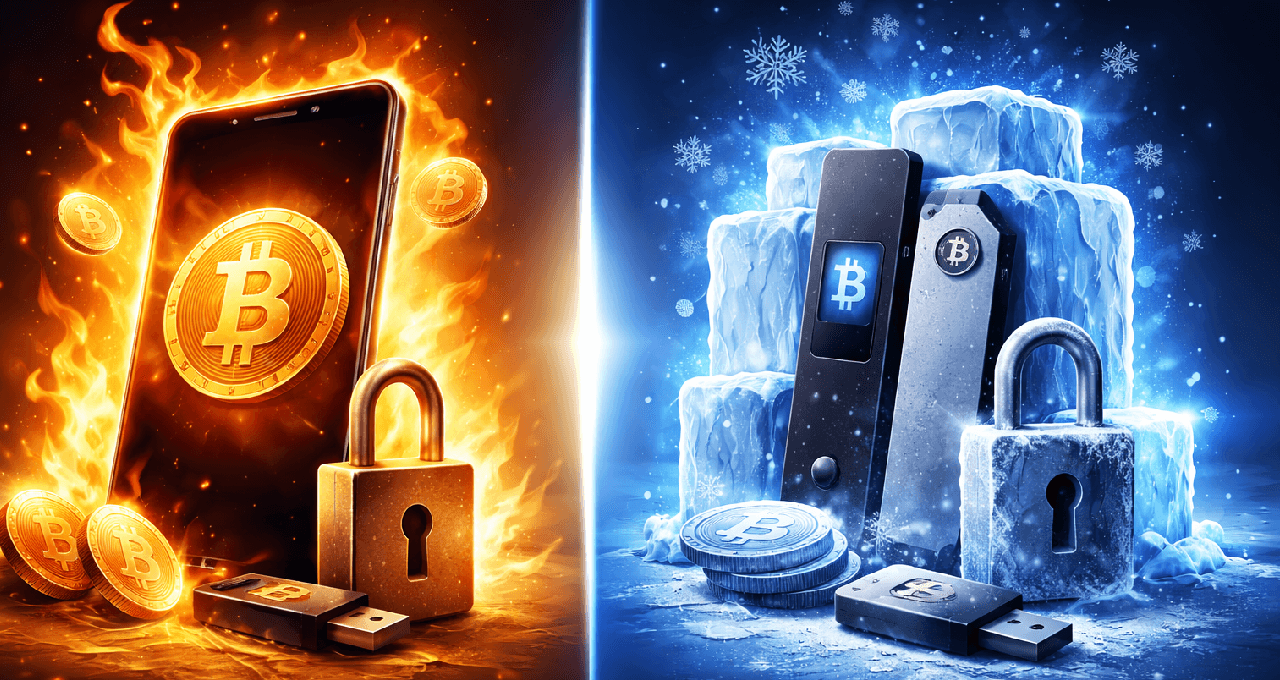
The biggest choice for beginners is usually between hot wallets (connected to the internet) and cold wallets (kept mostly offline). Let's break it down step by step so you can pick what works for you.
The Basics: Public Key, Private Key, and Addresses
You really only need to understand three things:
Address: This is like your account number. You share it when someone wants to send you crypto.
Public key: It's connected to your address and helps verify things.
Private key: This is the super-secret code. Whoever has it controls the funds.
Most wallets today don't show you the raw private key. Instead, they give you a seed phrase (more on that next).
What Is a Seed Phrase and Why Does It Matter So Much?
A seed phrase is usually 12 or 24 simple English words. These words can rebuild your entire wallet and all your keys if something goes wrong.
Important rules every beginner should know:
If someone else gets your seed phrase, they can steal your crypto.
If you lose the seed phrase and your device dies, your crypto might be gone forever.
No customer support can "reset" it like a forgotten password. That's the price of true control (called self-custody).
Some wallets let you add an extra passphrase (like a 25th word) for more security, but if you forget it, you're locked out—so be careful!
Hot Wallets: Easy and Convenient, But More Exposed
A hot wallet keeps your keys on a device that's usually online—like your phone or computer.
Common examples:
Mobile apps (on iPhone or Android) – great for quick scans and small sends.
Browser extensions – perfect for using decentralized apps (dApps), NFTs, or DeFi on Ethereum and similar chains.
Desktop apps – some people use these for Bitcoin.
Hot wallets are awesome when:
You're just learning how crypto works.
You only have small amounts.
You want to use dApps often or receive money fast.
But they're riskier because:
Malware on your device could steal keys.
Fake apps or extensions trick people.
You might accidentally approve a bad transaction in a dApp.
Hot wallets aren't "bad"—they're just more open to online threats since they're connected.
Cold Wallets: Safer for Bigger Amounts and Long-Term Holding
A cold wallet keeps your private keys offline most of the time. For most beginners, this means a hardware wallet—a small gadget made just for this.
How it usually works:
You set it up and write down the seed phrase.
Keys stay inside the device.
To send crypto, you prepare the transaction on your phone/computer.
The hardware wallet shows the details on its own screen for you to confirm.
It signs the transaction securely and sends it back.
Cold wallets shine for:
Holding crypto for a long time.
Bigger amounts of money.
Cutting down the chance of online hacks stealing your keys.
But they're not perfect. You can still lose funds if:
You enter your seed phrase on a fake site.
You store the seed phrase in photos, cloud notes, or insecure spots.
You confirm the wrong details on the device.
You lose both the device and the seed phrase.
Cold storage mainly protects against online key theft, but it doesn't stop mistakes you make yourself.
Hot vs Cold Wallets: Quick Side-by-Side Comparison
Here's a simple table to see the differences at a glance.
Feature | Hot Wallets | Cold Wallets |
Internet Connection | Always or often online | Offline most of the time |
Convenience | Very high – fast and easy | Lower – needs physical device confirmation |
Security Risk | Higher (malware, phishing, bad approvals) | Lower (protects from online key theft) |
Best For | Small amounts, learning, daily use, dApps | Long-term holdings, larger balances |
Common Examples | Hardware devices (Ledger) | |
Cost | Usually free | $50–$200+ for the hardware |
Self-Custody vs Custodial: Another Big Choice
Hot vs cold is about where your keys live. But there's also who controls them:
Custodial (like on an exchange): They hold the keys. You just use email/password/2FA. Super easy, but you trust them.
Self-custody: You hold the keys (via seed phrase). Full control, but you're in charge of security.
Many beginners start with a small amount in a self-custody hot wallet to practice, then move bigger/long-term holdings to a trusted exchange or cold wallet.
Real Security Tips for Beginners
Security isn't just about hackers—it's about avoiding everyday mistakes.
Big risks to watch:
Seed phrase leaks (screenshots, cloud, sharing).
Phishing/fake apps/sites.
Approving bad smart contract permissions.
Sending to the wrong address or network.
Bad device habits (no passcode, old software).
Simple beginner checklist:
Write a seed phrase on paper or metal backup and keep it offline.
Use strong passcode + biometrics on your phone.
Enable 2FA on exchanges (use an app, not SMS if you can).
Download wallets only from official sites/stores.
Always test with tiny amounts first.
How to Pick Your First Wallet: Easy Decision Guide
Ask yourself:
What do I want to do right now?
Buy small Bitcoin and hold → Start with an exchange (custodial) or simple mobile self-custody wallet.
Use Ethereum, NFTs, DeFi → Get a browser extension or mobile wallet that supports dApps.
Hold a bigger amount long-term → Consider hardware after you practice seed phrases.
How much money? Small/test = hot wallet is fine. Growing bigger = hardware starts making sense.
Will I recover? Know where your seed phrase is, how to restore on a new device, and how to spot real apps.
Start small, learn, then level up.
Beginner Setup Checklist
For a hot wallet:
Download from the official app store or website.
Create a wallet and write seed phrases offline.
Turn on PIN or biometric lock.
Send a tiny test amount in and out.
For a hardware (cold) wallet:
Buy straight from the maker or trusted seller.
Set it up yourself (avoid "pre-set" devices).
Write seed phrases offline securely.
Test recovery if the wallet has that feature.
Keep firmware up to date.
Quick FAQ for Beginners
What's the main difference between hot and cold wallets?
Hot keeps keys online for easy use; cold keeps them offline for better protection against hacks.
Is a hardware wallet worth it as a beginner?
Yes for bigger or long-term holdings. For tiny amounts, a good hot wallet is often enough while you learn.
What is a seed phrase and how do I store it?
It's 12-24 words to recover your wallet. Keep it offline—never in photos, emails, or cloud.
Can an exchange count as a wallet?
Yes, but it's custodial—they control the keys, so you trust their security.
What if I lose my phone?
With your seed phrase, restore on a new device. Without it, funds could be lost.
Is cold always safer?
Usually for online threats, but bad habits (like sharing seed) can still hurt you.
Can I use both?
Absolutely—hot for everyday/small stuff, cold for the important long-term holdings.
Do I need different wallets for different coins?
Not always. Many support multiple chains, but some coins need specific ones.
What if I send it to the wrong address?
Crypto sends are usually permanent. Always double-check address, network, and test small first.
Need deeper training?
Join our structured modules with live examples and expert checklists for effective implementation.
JOIN THE ACADEMY