Key Takeaways
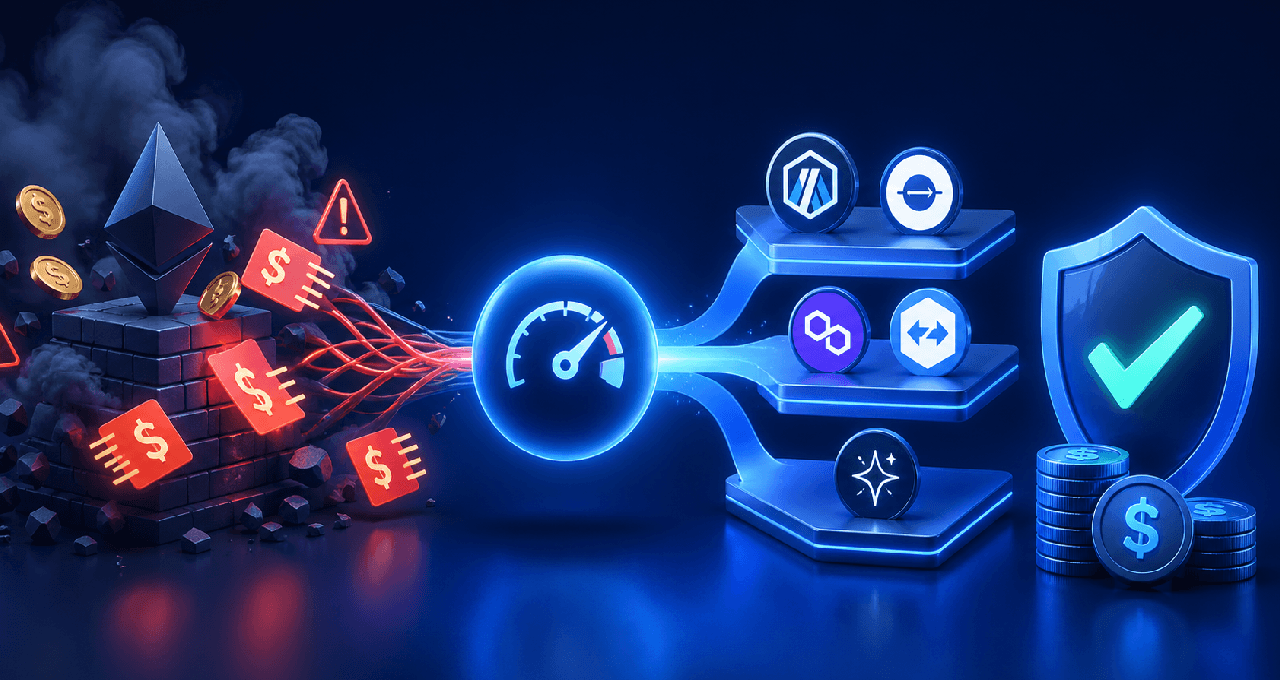
Layer 2 networks can reduce your transaction costs by 90% or more compared to Ethereum mainnet — the same swap that costs $15 on L1 can cost under $0.10 on Base or zkSync.
Gas fees vary by network, transaction type, and time of day — knowing how to read a gas tracker and time your transactions can save meaningful money over time.
Bridging to an L2 has its own cost — factor in the one-time bridge fee before moving assets, and choose the right L2 for your activity type.
Why Gas Fees Exist (And Why They Can Hurt)
Every transaction on a blockchain network requires computational work. Gas is the unit that measures that work. Gas fees are what you pay to compensate the validators or miners who process and confirm your transaction.
On Ethereum's main network (called L1, or Layer 1), gas fees are priced in gwei — a small unit of ETH. When the network is busy, competition for block space pushes these fees up. During peak activity in 2021, simple token transfers cost $20 to $50. Complex DeFi interactions like swaps or liquidity deposits regularly hit $100 or more.
That pricing structure effectively prices out smaller users. A $5 transaction should not cost $30 to execute.
This is exactly the problem that Layer 2 networks were built to solve.
What Layer 2 Networks Actually Do
Layer 2s (L2s) are networks that process transactions off the Ethereum main chain, then settle the results back to L1 in compressed batches. This batching is what makes them cheap: instead of each user paying for their own block space on Ethereum, thousands of transactions share the cost of a single L1 settlement.
There are two main types of L2s:
Optimistic Rollups (Arbitrum, Optimism, Base) assume transactions are valid unless challenged. They are simpler to build and have strong developer adoption.
ZK Rollups (zkSync Era, Starknet, Scroll) use cryptographic proofs to verify transactions. They are more technically complex but offer strong security guarantees without long withdrawal delays.
Both types drastically reduce your fee burden compared to Ethereum L1.
L2 Gas Fee Comparison Table
The figures below are estimates based on widely reported average conditions. Costs fluctuate based on network activity and ETH price.
L2 Network | Typical Transfer Cost | Typical Swap Cost | Key Use Case |
Ethereum L1 | $3 – $25+ | $10 – $80+ | Settlement layer, high-value DeFi |
Arbitrum One | $0.05 – $0.30 | $0.10 – $1.00 | DeFi, GMX, Uniswap, active traders |
Base | $0.01 – $0.10 | $0.05 – $0.30 | Consumer apps, Coinbase ecosystem, NFTs |
Optimism | $0.02 – $0.20 | $0.05 – $0.50 | Mid-size DeFi, OP ecosystem dApps |
zkSync Era | $0.01 – $0.10 | $0.03 – $0.20 | Privacy-conscious users, ZK apps |
Starknet | $0.01 – $0.15 | $0.05 – $0.25 | Gaming, advanced dApps, Cairo devs |
These are estimates based on average network conditions as of 2024-2025. Always check live gas trackers before transacting.
Before You Transact
Guessing is unnecessary. These tools give you live and historical gas data so you can transact at the right time.
For Ethereum L1:
Etherscan Gas Tracker (etherscan.io/gastracker) — shows current fast, standard, and slow prices in gwei, plus a historical chart to identify cheaper windows
Blocknative Gas Estimator — provides real-time mempool-level predictions
For Layer 2 networks:
L2Fees.info — the most practical tool for this purpose. It shows the real-time cost of a standard ETH transfer and a token swap on every major L2 in one place. No calculations required.
GasFees.io — aggregates data across multiple chains with easy comparison
Tip: L2Fees.info is worth bookmarking. Before executing any L2 transaction, a quick check takes five seconds and can confirm you are on the cheapest network for that action.
When to Transact: Timing Your Gas Costs
Gas fees are not constant. On Ethereum L1, fees follow predictable patterns tied to global usage cycles:
Cheapest hours: Late night and early morning UTC (roughly 2am to 7am UTC), when North American and European markets are largely offline
Most expensive periods: Weekday afternoons UTC, during major market events, NFT mints, and token launches
On L2 networks, the variation is smaller but still real. If you are making a large swap, monitoring for a low-activity window still matters.
Practical approach: Set your wallet to show gas estimates before confirming. If the fee looks unusually high, wait. L2 fees often normalize within 30 to 60 minutes after a spike.
How Transaction Type Affects the Cost
Not all transactions cost the same. Gas usage scales with complexity.
Transaction Type | Relative Gas Cost | Notes |
Simple ETH transfer | Low | Fixed 21,000 gas units |
ERC-20 token transfer | Low-Medium | Slightly more than ETH transfer |
DEX swap (1 hop) | Medium | Involves contract execution |
DEX swap (multi-hop) | Higher | More contract calls |
Adding/removing liquidity | High | Multiple approvals and contract writes |
Cross-chain bridge transaction | Variable | Depends on bridge protocol |
NFT mint | Variable | Depends on contract complexity |
Understanding this hierarchy helps you budget. A simple token transfer on Base costs fractions of a cent. A multi-hop swap through a DEX aggregator on L1 could easily cost $20+.
Setting Custom Gas Limits Safely
Most wallets (MetaMask, Rabby, Rainbow) auto-suggest a gas limit for each transaction. The gas limit is the maximum gas units you are willing to use. You are not charged for unused gas.
You should not need to manually change the gas limit for standard transactions. The wallet handles this automatically.
Where manual adjustment becomes relevant:
If a transaction is consistently failing, it may be running out of gas. In that case, increasing the limit by 20 to 30% can help.
If you want to queue a non-urgent transaction at a lower priority, lowering the gas price (not the limit) in wallets that support it will place it lower in the queue.
Never set the gas limit below what the wallet suggests for a given transaction. Failed transactions still consume some gas.
Bridging to L2: The One-Time Cost to Factor In
Moving assets from Ethereum L1 to an L2 requires a bridge transaction. This costs money.
Common approaches:
Official bridges (Arbitrum Bridge, Base Bridge, zkSync Bridge) are the most trustworthy but typically charge L1 gas prices for the deposit transaction
Third-party bridges (Stargate, Across, Hop Protocol) sometimes offer cheaper routes or faster withdrawals, though they add smart contract risk
Centralized exchange withdrawal — some exchanges (like Coinbase for Base, or Binance for Arbitrum) let you withdraw directly to an L2, skipping the bridge entirely and saving on fees
If you are moving a small amount, the bridge cost may not be worth it. If you plan to be active on an L2 for an extended period, the upfront bridge fee is usually recovered quickly through lower transaction costs.
Common Gas-Wasting Mistakes to Avoid
Transacting on L1 when an L2 would do — most DeFi interactions no longer require L1
Ignoring gas spikes — checking before you transact takes seconds
Approving unlimited token amounts and then revoking them — each approval and revocation costs gas; use exact approval amounts when security matters more than convenience
Using bridge aggregators without checking fees — some routes appear cheap but include hidden markup
Rushing withdrawals from Optimistic Rollups — standard withdrawals take seven days; fast exits via third-party bridges cost extra
Tools Worth Bookmarking
L2Fees.info — real-time L2 fee comparison
Etherscan Gas Tracker — L1 gas history and current pricing
Rabby Wallet — security-focused wallet with clear gas previews and chain switching
TradingView — if you are active across markets and L2 DeFi, a TradingView subscription gives you the charting infrastructure to stay coordinated across your on-chain and trading activity
FAQ
Q: What is the cheapest Layer 2 for everyday crypto transactions? Base and zkSync Era consistently offer some of the lowest fees for standard transfers and swaps. Use L2Fees.info to check current pricing before choosing.
Q: Do gas fees on Layer 2s ever spike? Yes. During high-demand events like popular NFT launches or DeFi protocol activations, L2 fees can rise — though they rarely approach L1 levels. The spike is usually short-lived.
Q: Is it safe to use a third-party bridge? Reputable bridges like Stargate and Across have strong track records, but every bridge carries smart contract risk. Use official bridges for large transfers and newer bridges cautiously.
Q: Can I reduce gas costs by using a different wallet? The wallet itself does not significantly change gas costs. What matters is the network you are on, the complexity of your transaction, and the timing.
Q: What happens if I set the gas limit too low? The transaction fails. You lose the gas that was consumed up to the point of failure, but the funds are not lost — they remain in your wallet.
Q: How do I know if I am on an L2 in my wallet? In MetaMask or Rabby, the current network is shown at the top. Look for Arbitrum One, Base, Optimism, or zkSync Era. If it says Ethereum Mainnet, you are on L1.
Disclaimer: This content is for educational and informational purposes only and is not financial advice. Nothing here is a recommendation to buy or sell any asset or use any platform. Do your own research and manage your risk.
Read More
Already using an L2? Make sure your assets are secured in the right wallet. See our Top 5 Hardware Wallets guide before moving funds on-chain.
Need deeper training?
Join our structured modules with live examples and expert checklists for effective implementation.
JOIN THE ACADEMY